1
USER'S MANUAL
ITEM 1
ITEM 2
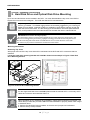
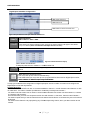
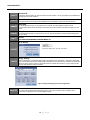
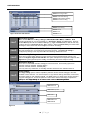
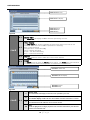
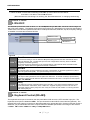
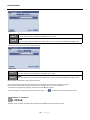
Dwell Time
The DWELL TIME option is used to specify the
t post recording duration in second(s). This will
determine how long the recording will run forr the specified channel after the PRE-ALARM is triggered.
Type
The TYPE option is used to specify which pre
e-alarm trigger to use, e.g. MOTION OR ALARM.
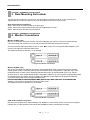
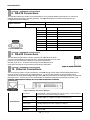
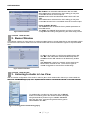
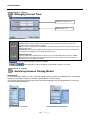
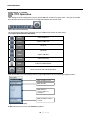
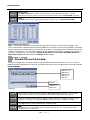
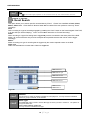
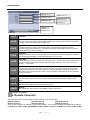
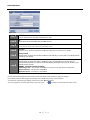
Figure 75 Panic Tab Selected
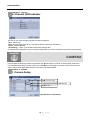
Panic – This profile is used to specify the recording type
e when the “Panic” record button is engaged. The
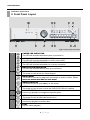
“panic” record button is located on the front panel of the
e DVR, as well as on the “Live Pop-Up Menu” (accessed
by right clicking the live view screen with the mouse). The
T “panic” record settings will override both “Event” and
“Normal” record settings. The “Pre-Alarm” settings will not be affected because these settings are used for the
“pre
pre-event
event” recording only
only. The options for RESOLUTIO
ON QUALITY
ON,
QUALITY, FPS
FPS, COPY SETTINGS
SETTINGS, DEFAULT
DEFAULT,
SAVE AND CANCEL are the same as the NORMAL re
ecord settings.
CHAPTER 14 . RECORD
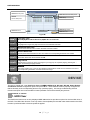
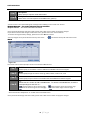
2. Standard Record Schedule
e
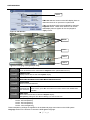
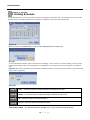
The record schedule menu is used to configure specific date
d
and times for the DVR to record. You may use
multiple schedule configurations in this menu to meet the
e demands of your recording needs. Individual channels
may be configured
configured.
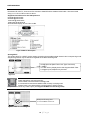
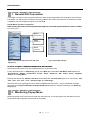
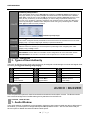
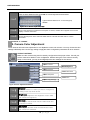
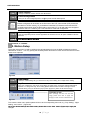
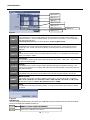
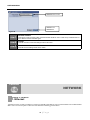
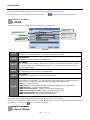
Item 1 Channel
Item 2 Mode
Item 3 Range
Item 4 Day
Item 5 No.
Item 8 +/‐
Item 6 Cancel
Item 7 Save Figure 76
ITEM 1
ITEM 2
ITEM 3
ITEM 4
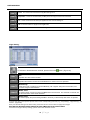
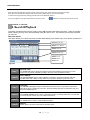
Channel
Use this option to select the desired channells for Record Schedule configuration. You may select
each individual channel, a group of channelss, or all channels to apply the record settings to.
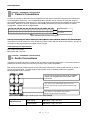
Mode
There are five mode types to choose from; Alarm,
A
Motion, Continue, A + M (Alarm + Motion), and M +
C (Motion + Continue). This setting will dete
ermine what type of mode to enable for recording.
Range
The range option is to set the desired time to
o enable recording.
Day
The day option is to set the desired day(s) to
o enable recording (The “ALL” setting may be used to
configure all 7 days of the week).
58 | P a g e