1
Designing Labels
Chapter 3-3
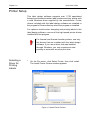
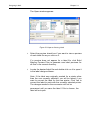
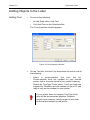
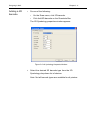
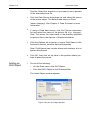
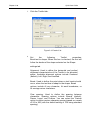
The Open window appears.
Figure 3-2 Open an Existing Label
2
Select the preview check box if you want to view a preview
of each label file as you click on it.
If a preview does not appear for a label file, click Build
Missing Preview Files to generate new label previews for
all files in the current directory.
3
Locate the desired label file and double-click on it to open it
in the label design software.
Note: If the label was originally created for a printer other
than the one currently selected, you will be asked if you
want to convert the label for the new printer. Click Yes to
convert the label to work with the currently selected printer.
The changes made for the conversion will not be
permanent until you save the label. If No is chosen, the
label will not open.