1
For complete details on connecting and operating the projector, refer to this
User’s Guide. Electronic versions of this User’s Guide in multiple languages
are available on our website at www.infocushome.com/support.
Table of Contents
Introduction
Positioning the projector
Video connections
Connecting a video device
Displaying a video image
Connecting a computer
Shutting down the projector
Troubleshooting your setup
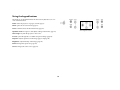
Using the keypad buttons
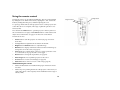
Using the remote control
Optimizing video images
Customizing the projector
Using the menus
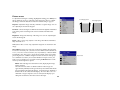
Picture menu
Settings menu
Maintenance
Cleaning the lens
Replacing the projection lamp
Appendix
Specifications
Accessories
Red LED behavior and projector errors
Projected image size
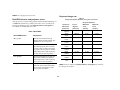
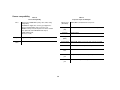
Source compatibility
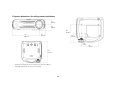
Projector dimensions for ceiling mount installations
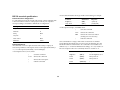
RS-232 terminal specifications
3
5
6
7
8
10
11
11
18
19
20
20
21
22
27
29
29
30
32
32
32
33
33
34
35
36
The website also has technical specifications (an interactive image size calculator, laptop activation commands, connector pin outs, a glossary, the
product data sheet), a web store to buy accessories, and a page for online
registration.
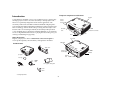
Important Operating Considerations
Do not place the projector on a tablecloth or other soft covering that may
block the vents. Vents are placed along the left and right sides of the projector, as well as across the front of the projector. Do not use a non-approved
ceiling mount. In the unlikely event of the lamp rupturing, discard any edible items placed in the surrounding area and thoroughly clean the area
along the sides and in the front of the projector.
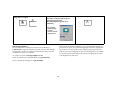
Do not place objects in the areas along the side and in the front of the projector
2 ft (.6m)
2 ft (.6m)
2 ft (.6m)
2