1
Date/Time Settings Fields
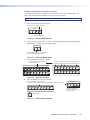
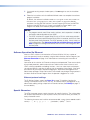
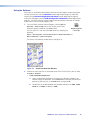
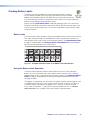
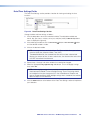
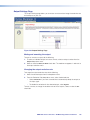
The Date/Time Settings section provides a location for viewing and setting the time
functions.
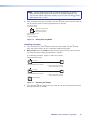
Figure 98. Date/Time Settings Section
Change the date and time settings as follows:
1. Click the drop-down menu for the desired variable. The adjustable variables are
month, day, year, hours, minutes, am or pm, and (time) zone (the Month drop-down
menu is displayed in figure 98).
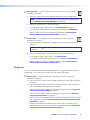
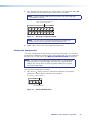
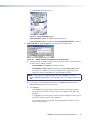
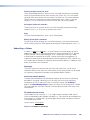
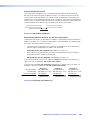
2. Click and drag the slider or click the Scroll Up
until the desired variable is visible.
button or Scroll Down
button
3. Click on the desired variable.
NOTE: If setting the time, set the local time. The Zone variable allows you to then
enter the offset from Greenwich Mean Time (GMT).
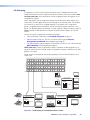
The Zone field identifies the standard time zone that has been selected and
displays the amount of time, in hours and minutes, that the local time varies from
the GMT international time reference.
4. Repeat steps 1 through 3 for other variables that need to be changed.
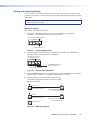
5. Select the appropriate Daylight Saving radio button. To turn off daylight savings
time, select Off.
NOTE: When daylight savings time is enabled, the switcher updates its internal
clock between Standard Time and Daylight Savings Time in the spring and fall
on the date that the time change occurs in the United States of America and
parts of Europe and Brazil. When daylight savings time is turned off, the switcher
does not adjust its time reference.
6. Click the Submit button at the bottom of the Date/Time Settings section to implement
your selections.
HDXP Plus Series Switchers • HTML Configuration and Control
101