1
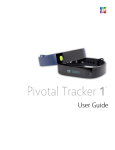
Click here. What support and “how to” resources are available to members? In addition to this Troubleshooting Guide, we regularly add new helpful videos and other digital content to our support page, including a downloadable PDF version of our User Manual. If you are looking to ask a “how to” question or would like to share your product experience, we encourage you to visit the member community hosted Facebook Support Group. Special thanks to Ashley, Derek and Tracy and participating members for pioneering this great resource! As part of our commitment to keeping product prices low for our members, we have limited assisted 1:1 support options and prioritize email support from the "Contact Us" form on our website for warranty and other break/fix support. That said, we are investing heavily in self-help and online content knowing our members find these resources helpful. We also know the Pivotal LivingTM community has a contingent of vocal, passionate voices, and are helping to channel that energy into a social media and community based knowledge framework which sets us and you up for success in the long term. How do I get started? How does it work? To get started, visit the Apple Store or Google Play to search for and download the “Pivotal Living” app. When you have located the app, follow the one screen instructions to download, install, register and begin using the app with your Pivotal Tracker 1 band. There is a quick setup YouTube video which can be viewed here. An internet/mobile internet connection is required and internet access fees or other service charges may apply, so please contact your service provider for more information. For iOS, please be sure that you are searching for "Pivotal Living" within the App Store. Additionally, if you are searching on a supported iPad device, you may have to search within the iPhone apps to locate Pivotal Living or try this direct link in your browser: https://itunes.apple.com/us/app/pivotal-living/id915189109?mt=8. For Android 4.3+ mobile devices, if you cannot find the “Pivotal Living” app on Google Play or your device shows as unsupported, please open/paste this link (https://play.google.com/store/apps/details?id=com.pivotalliving.www) into your mobile phone’s internet browser to download the app. Please Note: The full list of supported Android 4.3+ mobile phones can be viewed on the ‘App’ page and ‘Device’ page of www.PivotalLiving.com. Android phablets and tablets are not formally supported yet, as we are currently optimizing for mobile phones first. However the Android app may still be downloaded for them, so please proceed with technical caution and patience