1
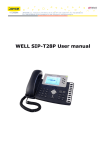
eSpace 7830 IP Phone
User Manual
Contents
Contents
1 Safety Precautions ......................................................................................................................... 1
2 eSpace 7830 Overview .................................................................................................................. 3
2.1 Positioning ....................................................................................................................................................... 3
2.2 Features ............................................................................................................................................................ 3
2.2.1 Graceful Appearance ............................................................................................................................... 3
2.2.2 Powerful Functions ................................................................................................................................. 3
2.3 Components...................................................................................................................................................... 4
2.3.1 Keys ........................................................................................................................................................ 4
2.3.2 Indicators ................................................................................................................................................ 6
2.3.3 Icons ........................................................................................................................................................ 6
2.3.4 External Ports .......................................................................................................................................... 8
2.3.5 Internal Ports ........................................................................................................................................... 9
2.4 Specifications ................................................................................................................................................... 9
2.4.1 Hardware Specifications ......................................................................................................................... 9
2.4.2 Technical Specifications........................................................................................................................ 10
3 Configuring eSpace 7830 ........................................................................................................... 11
3.1 Configuration Using the LCD ........................................................................................................................ 11
3.1.1 Setting the Language ............................................................................................................................. 11
3.1.2 Setting the Time and Date ..................................................................................................................... 11
3.1.3 Setting Time and Date Formats ............................................................................................................. 12
3.1.4 Setting the Ring Tone ............................................................................................................................ 12
3.1.5 Setting the Volume ................................................................................................................................ 12
3.1.6 Configuring the Call Forward Function ................................................................................................ 13
3.1.7 Configuring the Call Waiting Function ................................................................................................. 13
3.1.8 Setting DSS Keys .................................................................................................................................. 13
3.1.9 Setting the Send Key ............................................................................................................................. 14
3.1.10 Setting the Hot Line ............................................................................................................................ 14
3.1.11 Configuring the History Setting Function ........................................................................................... 15
3.1.12 Configuring the AA Login (Available for Huawei UC2.0 Solution) ................................................... 15
3.2 Configuration Using the Web Page ................................................................................................................ 15
3.2.1 Establishing a Configuration Environment ........................................................................................... 15
3.2.2 Accessing the Web Configuration Page ................................................................................................ 16
Issue 01 (2013-01-26)
Huawei Proprietary and Confidential
Copyright © Huawei Technologies Co., Ltd.
ii