1
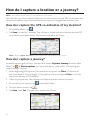
How do I capture a location or a journey?................................................... 30
How do I capture the GPS co-ordinates of my location?......................... 30
How do I capture a journey?.............................................................. 30
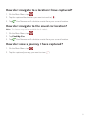
How do I navigate to a location I have captured?.................................. 31
How do I navigate to the saved car location?........................................ 31
How do I view a journey I have captured?........................................... 31
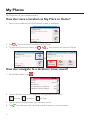
My Places.............................................................................................. 32
How do I save a location as My Place or Home?................................... 32
How do I navigate to a location I have saved?....................................... 32
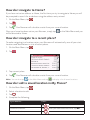
How do I navigate to Home?............................................................. 33
How do I navigate to a recent place?................................................... 33
How do I edit a saved location in My Places?....................................... 33
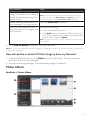
How do I navigate to a NavPix™?................................................... 34
How do I navigate to a NavPix™?............................................ 34
How do I edit the NavPix™?................................................... 35
How do I search for a POI?....................................................................... 37
How do I find the nearest POIs using Near Me?.................................... 37
How do I find the POIs using Explore?................................................ 38
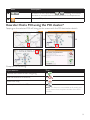
How do I find a POI using the POI cluster?........................................... 39
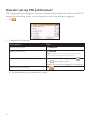
How do I set my POI preferences?...................................................... 40
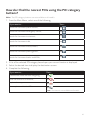
How do I find the nearest POIs using the POI category buttons?............. 41
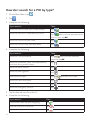
How do I search for a POI by type?..................................................... 42
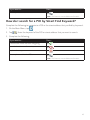
How do I search for a POI by Smart Find Keyword?.............................. 43
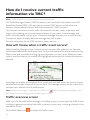
How do I receive current traffic information via TMC?.................................. 44
How will I know when a traffic event occurs?....................................... 44
Traffic overview screen..................................................................... 44
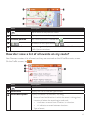
How do I view a list of all events on my route?...................................... 45
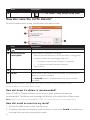
How do I view the traffic details?........................................................ 46
How do I know if a detour is recommended?................................ 46
How do I avoid an event on my route?......................................... 46
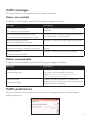
Traffic messages............................................................................... 47
Detour not available.................................................................. 47
Detour recommended............................................................... 47
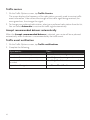
Traffic preferences........................................................................... 47
Traffic service........................................................................... 48
Accept recommended detours automatically................................ 48
Traffic event notification............................................................. 48
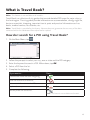
What is Travel Book?............................................................................... 49
How do I search for a POI using Travel Book?....................................... 49
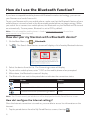
How do I use the Bluetooth function?........................................................ 50
How do I pair my Navman with a Bluetooth device?.............................. 50
How do I configure the Internet settings?..................................... 50
How do I add contacts to my Navman?............................................... 51
How do I make a hands-free call?....................................................... 52
How do I make a phone call?...................................................... 52
How do I respond to a phone call?...................................................... 52
2