1
Chapter Three Keyboard and Mouse Operation
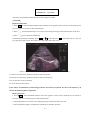
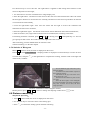
3.1 Screen Display
Name of Hospital
Patient Name
Patient Age
Sex
Date and Time
Battery Indicator
Type of probe
Frequency
Value of gain and
Illumination and
Fake color of image
Color of Characters
Background Color
Scanning Area
Depth
Picture 3-1. Screen Display
3.2 Keyboard Functions
The following is the keyboard of THIS EQUIPMENT
Picture 3-2. Operation Panel
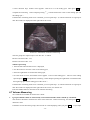
Press it to shift between the states of freeze and real time.
Notes: If
FREEZE exists in the right lower corner, the image is frozen.
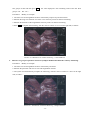
M/0 ~ BM/9 are multifunction keys
As character keys:
● During menu operation, they are used for selecting the sub-menu.
- 13 -