1
Quick Start
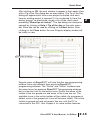
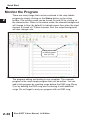
The Instruction Browser will be replaced with the element entry box.
The default address, C0, will be highlighted. Enter Y0 and notice
the valid entry indicator is green for a proper entry. Either click on
the (冑冑) or press the Enter key to enter the output coil.
Enter Y0 here
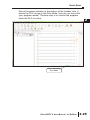
Rung 1 has now been programmed. This rung can be downloaded
to the PLC except for one missing rung. All programs must be
terminated with an END Coil rung.
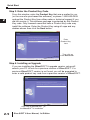
Step 5: Enter the End Rung
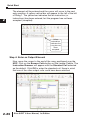
To program this rung, position the cursor so it is over the NOP at
the end of Rung 2, and click on the Browse Coils button. The
Instruction Browser will appear as shown in the diagram below.
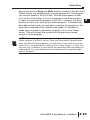
This time, select Program Control located in the Coil Class
selection window. Next, select END located in the Coils selection
window. Click on OK, then Enter.
DirectSOFT 6 User Manual, 1st Edition
1
2
3
D
5
6
7
8
9
0
1
2
3
4
A
B
C
D
2-21