1
household security routine for the robot if
you wish.
Meet
The
AutonolTroLrsi
Flobot
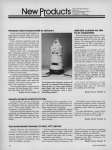
GEMINI's liquid crystal disploy with
LiJe Menu. Aboue display is kegboord
inJrared receiuer, below is optionol disk
driue.
GEMINI is a self-navigating,
self-charging,
multiple microprocessor-based,life size
robot with an unprecedented100K built-in
artificialintelligenceoperatingsystem.
speechrecognition,speechsynthesis,multiple environmental sensorsand a rugged
computer controlled propulsion system.
Prepare Your Family For The
Future...Now
Bring GEMINI home and turn it on. Watch
in wonder as GEMINI undergoesa complete checkoutof all its systems.GEMINI
tells you everythingit's doing. while displaying data on the 40-characterby S-line,
low-power liquid crystal display at the same
time. Now you are ready for a lifetimeof
discoveryin the new world of personal
robotics!
Schedule GEMINI to wake you up in
the morning, remind you oJ your
schedule Jor the day, and recite you o
poem!
GEMINI automatically keeps its
batteries chorged by returning to the
charger whenever necessary.
Pressthe DEMO function key and let
GEMINI teach you somethingabout artifi
ciallyintelligentmachines.Let it sing you a
song while it also plays accompanying
background music. Try a few laser blast
sound effectsfor your children. Let
GEMINI use its artificial intelligenceto
make up space travel storiesand poetry.
Push another button and let it take you
into the world of machine voice recognit i o n . G i v e G E M I N Tc o m m a n d sb y v o i c e .
Let it tell you the time, temperature,barometric pressure,sound level, light level and
the voltagesof its three batteries.Watch
the look of amazementin your children's
eyes as GEMINI moves o{f the charger.
performs a dance to its own music and
then returns.all by itself.to ihe battery
charger.
Now exit the DEMO mode (you can show
it to your friends later) and prepare everyone for the new family addition . . the
robot valet. Pull out GEMINI'sfull function,
computer-controlled keyboard tucked away
in its pouch and enter the SCHEDULE
mode. You won't have to know anything
about programming to turn GEMINI into
your personal valet. Enter a wake up call
and a reminder messageif you wish. Tell
GEMINI what room you will be in and it
will find you . . all on its own. Sei up a
Before you get carried away completely,
exit the SCHEDULE mode and enter
GEMINI's fabulous {loating point, scientific,
BASIC operating system. Pick up the easy
to understand manuals and look at all the
new BASIC commands which give You
compleie control over the sensorsand auxiliary computers.Try a few new commands
such as RANGE(HEAD), to get distances
in feet from its head ulirasonicsonar; or
BODY FORWARD, SPEED, DISTANCE,
to watch GEMINI move forward at the designated speed {or the designateddisiance.
Let your mind wander to all the things you
can make GEMINI do with this easYto
use, English-like,language.Save a program or two on the optional low power
WAFER drive or 3r/z'inch floppy DISK
drive.
Gather your family around you and say
"GEMINI!", loudly. The robot will respond
..GEMINILISTENING!" ANd AUIOMAIWith
ically enter the voice command mode. In
this mode, the robot can recognizespeech
and respondto spoken commands. Firsi,
the robot must be trained to your voice
no problem for GEMlNl. It will take
.
charge and verbally direct the vocabulary
trainingsessionsas needed, for you and
up to two other membersof the family.
When the voice trainingis done, take turns
commanding GEMINI to move about and
perform varioustasks.The robot will converse with you at the same time. You don't
have to worry that GEMINI might lose the
training or forget your voice. The robot will
keep its memory alive and adapt to your
voice, even if it changes.CEMINI doesnt
even care if you speak in a foreign
language.
If you have the optional REMOTE COM
MUNICATION COMPUTER, enter
GEMINI'sREMOTE COMPUTER control
mode and dim a {ew hghtsin the house or
turn off (permanently?)the TV. Then dial
"SOURCE"SMor "COMPUSERVE"TM
up the
and have a short session.Dump a program
or two to your printer. lf you have a personal computer with an RS232C serial
port, hook it up to the REMOTE COMMUNICATION COMPUTER and let GEMINI
talk to it, or control GEMINI from your
computer.
lf you are really venturesome.too excited
to sleep, or just plain curious,enter
GEMiNI's MONITOR mode. You will find
yourself at the robot's very heart. Right
where you can make GEMINI do anything
your abilitieswill allow. Check out the systems manual; you will find all of the useful
new CMOS 65C02 microprocessorsource
codes, with user entry points to a multitude
of subrouiines. You might even outdo the
programming staff of the GEMINI design
team at this level. Let your imagination run
wild. It's your robot, built for you and your
children's future.