1
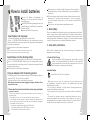
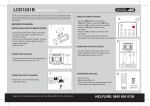
How to install batteries
Remove the Battery Compartment by
pressing in on the tab and then sliding the
compartment out.
Install a CR2025 battery, paying attention to the
polarity diagram in the Battery Compartment
(positive side up).
Replace the Battery Compartment.
Insert battery into the player
To insert battery, open the battery door on back of unit.
Insert 1 x 1.5V-AAA-LR03-AM4 batteries into the compartment ensuring
they are installed the correct way around. The polarities are marked inside
the battery compartment
Close the door to the battery compartment.
Note:
Refer to the power level indicator on display for battery level.
Replace with new battery when the indicator is empty.
Insert battery into the docking station
To insert battery, open the battery door on back of the docking station.
Insert 4 x 1.5V-AAA-LR03-AM4 batteries into the compartment ensuring
they are installed the correct way around. The polarities are marked inside
the battery compartment
Close the door to the battery compartment.
Using an adaptor with the docking station
The docking station can be powered using an AC/DC adaptor suppling in
output of 6V DC - 500 mA min. (not supplied)
The plug shall be a 3.5 mm center positive connector.
When player is docked and station plugged to adaptor, batteries will be
saved on both item.
Please note the important points below when using an adapter
to power this product:
• Only use an adapter like the one recommended in this user manual or an
equivalent type.
• The adapter is not a toy, it is to be handled with appropriate care.
• The adapter must be regularly controlled to detect any deterioration of
the cord, the plug, the cabinet or any other part. If something is damaged,
the adapter must not be used.
• Unplug the adapter before cleaning the MP3 player.
• Unplug the adaptator if the MP3 player is not in use.
• Not suitable for children below 36 months.
9
Keep product out of direct sunlight. Exposure to direct sunlight or
extreme heat (such as inside a parked car) may cause damage or
malfunction.
This unit may temporarily cease to function if subjected to electrostatic
disturbance. To resume normal operation, it may be necessary
to cycle the power off and back on or to remove and reinstall the
batteries.
The unit must only be opened by qualified personnel.
4 - Road safety:
Do not use headphones while driving, cycling or operating any motorised
vehicle. It may create a traffic hazard and it is illegal in some areas. It
can be potentially dangerous to play your headset at a high volume while
walking, especially at pedestrian crossings. You should exercise extreme
caution or discontinue use in potentially hazardous situations.
5 - User safety information
With volume at highest level, the continuous listening of the player may
damage the user’s hearing.
Caution While Driving
Use of headphones while operating an automobile or moving
vehicle is not recommended and is unlawful in some areas. Be
careful and attentive on the road. Stop operation of the unit if you
find it disruptive or distracting while driving.
Headset Safety
Have a Blast- Just Not in Your Eardrums.
- Make sure you turn down the volume on the unit before you put
on headphones. Increase the volume to the desired level only after
headphones are in place.
- Do not play your headset at a high volume. Hearing experts warn
against extended high volume play.
- If you experience a ringing in your ears, reduce volume or discontinue
use.
- You should use extreme caution or temporarily discontinue use in
potentially hazardous situations. Even if your headset is an open-air
type designed to let your hear outside sounds, don’t turn up the volume
so high that you are unable to hear what is around you.
2