1
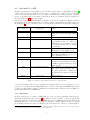
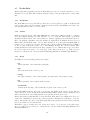
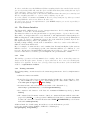
mkdir build
cd build
cmake ..
# <-- create an out-of-source directory for the build
# check build options ( change options with: cmake -DOPTION=ON|OFF .. )
# e.g. to also build the Java version, use: cmake -DINSTALL_JAR=ON ..
# optionally use: ccmake .. and configure interactively
make install
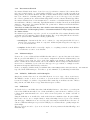
CMake options may also be specified in a separate file and read with the -C option. (please check the
CMake [12] documentation for more details)
#
#
#
#
ILCSoft.cmake is a configuration file generated for each ilcsoft reference installation.
It contains the list of paths from all tools within the installation.
in this example the BUILD_ROOTDICT option from LCIO is activated which requires the
path to the ROOT package. This path is read from the ILCSoft.cmake configuration file.
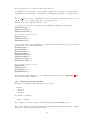
cmake -C /afs/desy.de/project/ilcsoft/sw/i386_gcc41_sl5/v01-11/ILCSoft.cmake \
-DBUILD_ROOTDICT=ON ..
2.3.2
Building LCIO with Maven
Download and install Maven (http://maven.apache.org/download.html) and then type
mvn clean install
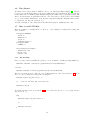
Both ways of building LCIO will create the following libraries and executables:
./lib
lcio.jar
liblcio.so
libsio.so
<-- Java library (and executables)
<-- C++ lcio library
<-- C++ sio library
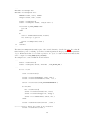
./bin
<-- C++ examples and tools
anajob
copyfix
dumpevent
readcalibration
recjob
simjob
lcio_event_counter
stdhepjob
./bin
anajob_F
simjob_F
recjob_F
2.4
<-- f77 examples
Checking the Installation
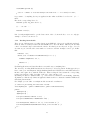
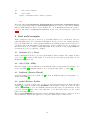
To check whether the (C++) installation was successful run the simjob program:
simjob simjob.slcio
This creates a simple LCIO file that you can read with
anajob simjob.slcio
The same for the Java - Linux version:
3