1
User Manual / Installation Guide
Operation / Testing:
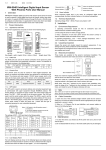
1. coding method
2. delete coding method
press and hold on “SAVE” button, and then detect
press and hold on “SAVE” and “CLR” buttons, LED light
wireless equipment, wireless siren will make the
will turn on few seconds, and then turn off, when LED
indicate sound when match code successfully
light turn on again, it means delete coding successfully
3. battery power switch
4. volume control switch
“BAT” jumper switch is control the power from built-in
“JP1” jumper switch is control volume of wireless
battery or external power adapter, if turn off this switch,
siren, if turn off this switch, the volume lower, turn on
it means no power come from built-in battery, wireless
switch, the volume higher
siren can’t keep working when external power off
Note:
1. turn on the power, the LED light ruleless flash in the short time, if LED light flash regularly, it means the
wireless receiving signal had been blocked, maybe wireless siren had been broken or affected by strong
electromagnetic wave interference;
2. when open the wireless siren cover, it will make once sound in each regular period;
3. don’t make short circuit between any pins of JP1 jumper switch and BAT jumper switch, otherwise, it will
broken down wireless siren.
How to connect the External Power Adapter with Wireless Siren correctly?
2