1
1. Introduction
Thank you for purchasing FrameXX – high-performance and low-cost
digital signage platform with LAN/internet connectivity that allows you to
play multimedia content in Full HD quality.
The user interface is easy to understand and no additional software is
required. Simply insert the memory card or set-up network connection and
you can play the media files from the selected source.
There are the following models available – FrameXX HOME/2, FrameXX
HOME/2-XL, FrameXX HOME/2-XXL and FrameXX SIGN/2.
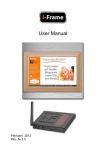
FrameXX HOME is a standalone device with very rich digital photoframe
features. It is based on a fullHD 32”, professional industry class AMVA
panel, and features a wooden frame in size 79x48cm. The construction
allows you to replace the wooden frame (standard colours – black, natural
wood, white, cherry brown) very easily and customize to a requested design.
Frame HOME-XL is based on a 46” professional industry class AMVA
panel, with dimensions of 115x71cm.
Frame HOME-XXL is based on a 55” professional industry class
AMVA panel, with dimensions of 139x86cm.
FrameXX SIGN contains identical engine&software as FrameXX HOME,
the only difference is in the missing display, which allows the device to be
connected to any display device with an HDMI input (up to 4K video
resolution). It is mostly used in the Digital Signage industry, however it can
also be connected to large flat TV devices at home.
For presentation from local or internal memory there are no additional
settings necessary, for presentation from intranet or internet (e.g. Flickr,
Dropbox) you have to set up a wireless connection with credentials.
The FrameXX devices are ideal for advertising, retail displays, museum
exhibits, galleries, home usage and other applications. The possibility of
remote content management via FrameXX CONTROL cloud and automatic
slideshow synchronization with remote source also makes it eligible for
maintenance and remote usage. Just switch it on and the FrameXX can
start the show automatically. You can use built-in advanced Timers or any
simple programmable outlet timer to switch it on and off at any favourite
time
3
FrameXX User Manual v. 3.2