1
Magma
Standby-power Cable .......................................................................................................... 26
Thunderbolt Interface Card Installation .................................................................................. 27
Internal Front Fan (Control Settings) ..................................................................................... 28
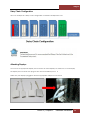
Daisy Chain Configuration .................................................................................................... 29
Attaching Displays ............................................................................................................... 29
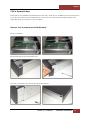
5.25-in Expansion Bays........................................................................................................ 30
Steps on “how to remove and install Drive Bay” .................................................................. 30
Roben-3TS (3 Slot Thunderbolt – Storage) ............................................................................. 34
Installation-Procedures Overview ....................................................................................... 35
Open Enclosure ............................................................................................................... 35
Install Thunderbolt Interface card ...................................................................................... 36
Storage Drive Installation ................................................................................................. 36
Controller Card Installation ............................................................................................... 38
Install PCIe Cards ............................................................................................................ 39
Auxiliary Power Connectors ............................................................................................... 40
High Power PCIe card installation ....................................................................................... 41
Attach Power Cord ........................................................................................................... 42
Connect to Electrical Outlets ............................................................................................. 42
Connect Thunderbolt Cable ............................................................................................... 43
Power On Computer ......................................................................................................... 43
Verify Hardware Connection .............................................................................................. 43
3TM (3 Slot Thunderbolt – Mac mini) ..................................................................................... 44
Parts List ........................................................................................................................ 45
Installation of Mac mini .................................................................................................... 45
Connect Cable ................................................................................................................. 46
Attach Power Cord ........................................................................................................... 47
Power On Computer ......................................................................................................... 47
Verify Connection ............................................................................................................ 47
Lockable ILok ..................................................................................................................... 47
Installation of ILok Security Lock ....................................................................................... 48
PCIe Expansion and Host Interface Cards ............................................................................... 49
How it Works................................................................................................................... 50
PCIe Expansion Interface Card Installation .......................................................................... 51
PCIe Host Interface card Installation .................................................................................. 52
To Disconnect Ipass Cable ................................................................................................ 54
Plug-in Power Cord .......................................................................................................... 54
Powering on and powering off the unit ................................................................................ 54
Roben 3 | 3