1
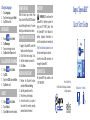
Change Language
VIEW ERRORS
BATTERY
MESSAGES
While in About, tap on More, View
Errors. Use the UP and DOWN arrows
to scroll through the errors. For more
detail, tap on individual error codes.
WARNING: Do not leave the
XpressKEY or battery exposed to
high (over 131°F/55°C) heat. See
the XpressKEY User Manual for
battery disposal information or
visit the manufacturer’s website at
http://na.industrial.panasonic.com
for more warnings and cautions.
Use the micro-USB connection to
charge the XpressKEY.
1. Tap Languages.
2. Tap the new language & Enter.
3. Tap OK to confirm.
1.
2.
3.
4.
Tap on
and tap Next.
Tap Messages.
Tap on a message to read.
Tap Back, then Done to exit.
CALL BEFORE SHOWING
1.
2.
3.
4.
Tap on
and tap Next.
Tap CBS.
Type in the CBS code and Enter.
Tap Done to exit.
ABOUT
1. Tap on
and tap Next.
2. Tap on About.
3. Tap on More to view key details.
SHOWING NOTIFICATION
1. Login to SupraWEB, select the
keybox and its settings icon.
2. Check “Send me showing...” box.
3. Add the recipient’s contact info.
4. Click Save.
KEYBOX ASSISTANT
1. Perform the Shackle function,
and select Put on a listing.
2. Add the property house #’s.
3. Point the key at the keybox.
4. An email is sent to you, open it
and select the correct property
address listed in the email.
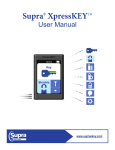
Supra XpressKEY
®
Quick Start Guide
CONTACT US
For XpressKEY help, contact us at
1-877-699-6787.
TM
P/N 10103740P1 EN
© 2015 United Technologies Corporation.
All rights reserved.
RoHS
COMPLIANT
Touchscreen ▪ Infrared