1
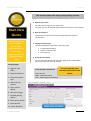
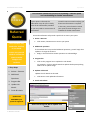
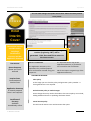
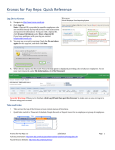
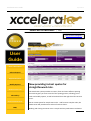
April 2015 Xccelerate User Guide This section outlines the step by step quoting process. 1. Register your client You only need to register your client once. This way, you can do multiple quotes without having to re-enter details. Start New Quote Exotic, Prestige and Classic vehicles as well as Stretch Limousine Hire and Film Set cover. Or get a quote for a Driving Instructor policy. 2. Duty of Disclosure Tick the box to indicate that you have understood the contract requirements. 3. Choose the policy type From the drop down menu choose the policy type: Comprehensive Motor; Stretch Limousine Hire Film Set Cover 4. Search for the vehicle You can search for the vehicle using the registration or VIN number. Or you can manually enter the vehicle. 10 Easy Steps: 1. Register your client If the vehicle is not found: 2. Duty of Disclosure Enter the year Make: Select Not Found Click: Submit Vehicle and Refresh 3. Choose the policy type You can manually enter the make and model of the vehicle 4. Search for the vehicle 5. Enter vehicle details 6. Select the usage 7. Provide parking details 8. Enter driver details 9. Other Details 10. Finish & Submit A Brokers Guide Page 2