1
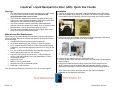
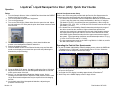
Liquitrak© Liquid Nanoparticle Sizer (LNS): Quick Start Guide Operation Particle Size Spectrometer Setup Refer to the Quick start guide provided with the Particle Size Spectrometer for instructions on the device assembly and configuration. Note the following. The aerosol flow rate drawn from the Nanoparticle Nebulizer must be at least 1 L/min. Lower flow rates may cause condensation in the lines. If using the TSI Model 3772 CPC, the nominal flow rate is satisfactory. When using the TSI Models 3775, 3776, 3787, or 3788; the CPC flow rate must be set to ‘high flow mode’ (1.5 L/min). The sheath flow on the Mobility Classifier determines the dynamic range of the device as well as the resolution. Higher sheath flows provide finer resolution (the resolution is proportional to the ratio of the sheath to sample flow rates) with an upper limit of about 10 for the 3081 DMA and 20 for the 3085 DMA. Higher sheath flows also limit the upper measurement range of the system. Typical operating conditions use sheath:sample ratios of 10 (e.g. 15 L/min for a CPC flow rate of 1.5 L/min). The size measurement range for the 3081 Long DMA is 10-1000 nm, and for the 3085 nano-DMA is 2-150 nm. Setup 1. Turn the Sample Selector Valve to ONLINE and check that the DIRECT Injection Inlet plug is in place. 2. Turn on the power for all pieces of equipment. 3. Turn on the gas supply. 4. Turn on the UPW supply. Water drains from the open tube end. Adjust the tube tensioner to 2 clicks past the point where water ceases to drain from the tube. 5. To ensure that the pump is operating, check that air bubbles are present in the Nanoparticle Nebulizer waste line. 6. Inspect the system for leaks. 7. Press the RESET button on the Dilution Module pump until the dash marks on the display move toward the open tube end (indicating the direction the pump is flowing). Operating the Particle Size Spectrometer 1. On the TSI Model 3082 Mobility Classifier display screen, select the SMPS tab > Properties icon > FLOW tab > set the Sheath flow to 15 L/min. Select the SCAN tab to set the sample rate and size range. 2. If you are using an X-ray neutralizer (such as a TSI Model 3088), check that the source is turned on. 3. Verify that the CPC display is reading approximately 0 Particles/cm3. 4. Select Play on the SMPS display screen to begin a scan. 8. Press the RUN STOP button. Use ▲▼ to adjust the flow to 100 μl/min. 9. Adjust the flowmeter valve on the Nanoparticle Nebulizer to read 100 ml/min at the center of the ball. 10. Select F1 on the Nanoparticle Nebulizer display screen. On the resulting Device Status screen, adjust the UPW pressure knob to read 18 psi. Note Iterative adjustments may be required to avoid changing the flow. 11. On the back panel of the Nanoparticle Nebulizer, adjust the gas pressure to reach 35 psi. Version 1.0 3 Part Number: 2671002