1
1.3 LPC2000 Flash Utility Notes
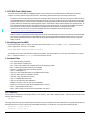
This tool is used to interact with the TiniARM processor over the serial port to move data between it, RAM, flash and the host
computer. It is mainly used to program the processor. The following points will save some time working with this tool.
• The utility for communicating with the processor for transferring data to and from the chip cannot be used to create a file which
is downloadable back to the chip because the first 0x3F bytes are not from the program in the rest of flash but are from the flash
bootloader and when the contents of flash is transferred to the program buffer, it takes the first 0x3F bytes from the bootloader
program and the rest of flash from whatever program is there. If this hex file is then put back into flash, the chip will not boot. To
fix it, the first 0x3F bytes must come from a file source which has the values figured. Or the bytes can be edited in the buffer.
The vector block has been shifted to 0x1E000 but the program prevents the user from seeing that part of flash.
• This has been fixed as of version V2.2.0 and is available from the LPC2000 files section in Yahoo groups:
http://groups.yahoo.com/group/lpc2000/files/
• There is a button to calculate the security code at 0x14 but it is on the flash buffer tool and is not needed for normal downloads.
• The tool cannot handle files which are both RAM and Flash. You will get messages complaining about memory out of range.
This could be something destined for RAM space like an initialized variable and could warrant a second look or it might not
bother you at all.
1.4 Installing gnude on W2K
Download and install cygwin to create a unix environment under windows. Put gnude under “/cygwin”. This is seen as just “/”
inside a cygwin shell. To set the PATH variable:
export PATH=$PATH:/gnude/bin:/gnude/arm-elf/bin
This will give you access to the tools with or without their prefixes. This means if there is no other gcc tools installed in your paths,
then gcc will be the same as arm-elf-gcc and can be used as a shortcut.
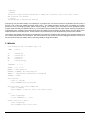
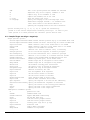
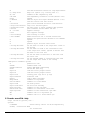
1.5 Included Files
•
•
•
•
•
•
•
•
•
•
•
•
•
•
•
a.lst - assembly listing of example
ivt.o - object file from compiling ivt.s
ivt.s - source code containin the exception vectors for the beginning of flash
libc.a - C library precompiled archive for use if needed
lpc210x.h - header file with names for all the registers
main.c - test program in C
main.cmd - extra complicated loader script adapted from the tools
main.hex - final output from compilation process
main.map - map of symbols and memory
main.o - compiled object from main.c
main.out - the output from the loader/linker
makefile - the script on how to make the test application
simple.cmd - the script for where the test application fits in memory
start.o - compiled object file for start.s
start.s - start up code to set up the micro and transition into main in
2.0 Compiling
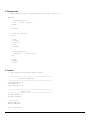
All the pieces for compiling in this example reside in one directory. This makes compiling simple. Just enter this command in the
directory with everything in it:
make test
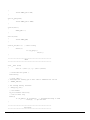
Like magic all the (and only the) required steps are executed to get from multiple source files and libraries to a singular hex file ready for
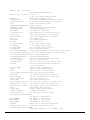
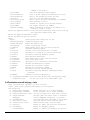
download along with a memory map file and an assembled code listing. For the first run you should see something like this:
arm-elf-as
arm-elf-as
-o start.o start.s
-o ivt.o ivt.s
TiniARM Development Kit: User Manual
Nov 1, 2004
3