1
WireXpert - User Manual
Notices
No part of this manual may be reproduced in any form or by any means (including electronic storage
and retrieval or translation into a foreign language) without prior agreement and written consent
from Psiber Data as governed by international copyright Laws.
Warranty
The material contained in this document is provided “as is,” and is subject to being changed,
without notice, in future editions. Further, to the maximum extent permitted by applicable law,
disclaims all warranties, either express or implied, with regard to this manual and any information
contained herein, including but not limited to the implied warranties of merchantability and
fitness for a particular purpose. Psiber Data shall not be liable for errors or for incidental or
consequential damages in connection with the furnishing, use, or performance of this document
or of any information contained herein. Should Psiber Data and the user have a separate written
agreement with warranty terms covering the material in this document that conflict with these
Terms, the warranty terms in the separate agreement shall control.
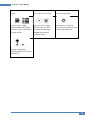
A CAUTION notice denotes a hazard.
It calls attention to an operating procedure, practice, or the like that, if not correctly performed or
adhered to, could result in damage to the product or loss of important data. Do not proceed beyond
a CAUTION notice until the indicated conditions are fully understood and met.
Operating procedure, practice, if not correctly performed or adhered to, could result in personal
injury or death. Do not proceed beyond a WARNING notice until the indicated conditions are fully
understood and met.
General Safety Information
Do not use the device if it is damaged. Before you use the device, inspect the casing. Look for cracks
or missing plastic. Do not operate the device around explosive gas, vapor, or dust.
Always use the device with the cables provided.
Observe all markings on the device before establishing any connection.
Turn off the device and application system power before connecting to the I/O terminals.
When servicing the device, use only the specified replacement parts.
Do not operate the device with the cover removed or loosened.
Use only the power adapter provided by the manufacturer to avoid any unexpected hazards.
3