1
In the ad hoc operating mode, devices can send and receive
data directly with each other. To create an Internet access
point for the ad hoc network, see ‘Access points’, p. 98.
Tip! To check the unique media access control (MAC)
address that identifies your device, enter *#62209526#
in the standby mode.
Home network
Copyright protections may prevent some images, music
(including ringing tones), and other content from being
copied, transferred, viewed, played, or printed.
To set up home networking in your wireless LAN, first
create and configure your wireless LAN home Internet
access point, then configure the devices. On your Nokia
N93, configure the settings in the Home network
application. To connect a compatible PC to the home
network, on the PC, you must install the Media Server
software from the DVD-ROM supplied with your Nokia
N93.
Your device is compatible with Universal Plug and Play
(UPnP). With a wireless LAN access point device, you can
create a home network and connect compatible UPnP
devices that support wireless LAN to the network, such as
your Nokia N93, a compatible PC, a compatible printer, and
a compatible sound system or a TV, or a sound system or
TV equipped with a compatible wireless multimedia
receiver.
After you have completed the necessary configurations in
all devices connected to the network, you can start using
Home network to share your media files. See ‘View media
files’, p. 87.
After you have configured the home network, you can
copy, view, or play compatible media files and print images
in Gallery on the other connected compatible devices, for
example, view images stored on your Nokia N93 on a
compatible TV. See ‘Home network’, p. 85 and ‘Image print’,
p. 37.
Important: Always enable one of the available
encryption methods to increase the security of your
wireless LAN connection. Using encryption reduces the
risk of unauthorize access to your data.
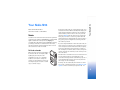
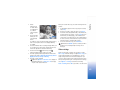
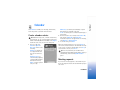
Your Nokia N93
wireless devices are connected to a wired LAN through a
wireless LAN access point device.
The home network uses the security settings of the
wireless LAN connection. Use the home network feature in
a wireless LAN infrastructure network with a wireless LAN
access point device and encryption enabled.
Your device is connected to the home network only if you
accept a connection request from another device, or in
Gallery, select the option to view, play, print, or copy
17