1
MUSAC Learning Management Interoperability
2010.6.6
1.7
Arrivers Upload Tab
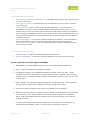
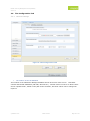
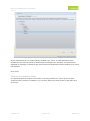
The Arrivers Upload Tab consists of two main areas - the left-hand side shows the Tree View ie.
the students who can be selected for upload and the right-hand side displays details about the
currently selected student or information about the results of uploads that have been performed.
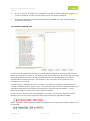
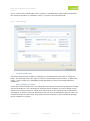
The student in the Tree View can be grouped by year, horizontal or vertical group.
A search facility is available above the Tree View. This feature is designed to assist the user in
locating a particular student, class or year.
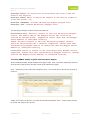
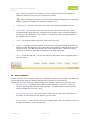
The left hand combo selects the display mode and the
right hand combo has an incremental search facility to locate the required student. A ‘Clear’
button is provided to reset the tree view to show all students.
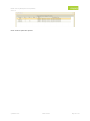
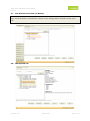
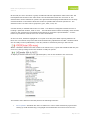
The number of students appearing in the Tree View will match the number awaiting upload on the
front screen of Student Manager.
If there are 2 ‘Arrivers Awaiting Upload’ in SM, then there should be 2 students in the Tree View.
© MUSAC 2010
BETA Product
Page 10 of 67