1
Browsing stored reports
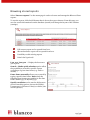
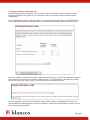
Select “Browse reports” on the menu page in order to browse and manage the Blancco Client
reports.
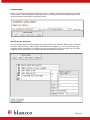
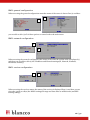
To sort the reports, click the field name that is above the report columns. From this page you
can also search information from the database (search) and change the layout of the columns
(settings).
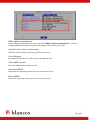
Full erasure report can be opened from here.
Shorter hardware report can be opened from here.
Possibility to edit existing reports
Print Label (optional)
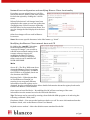
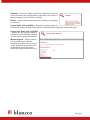
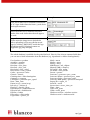
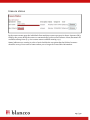
Last 100, Last 500 – Display the last 100 or
500 reports
Search – Make quick selection option offers
the possibility to search for specific reports
according to a given time frame (e.g. week or
month).
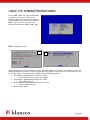
Enter dates manually allows you to search by
typing a specific time frame. Note! Only the
following date formats are suitable for the date
fields: dd.mm.yyyy or dd/mm/yyyy.
Specify condition can be used to define more
precise searching options: choose the Field(s),
Comparator(s) and enter Value(s) to define your
search option(s).
15 / 31