1
2
Installing the
Hardware
2
Installing the Hardware
CHAPTER 2
The framegrabber board is used in a host PC running Windows 2000/XP. This
chapter describes the following:
•
“Basic Set-up Procedures” on page 2-1
•
“General Location Considerations” on page 2-2
•
“Environmental Requirements” on page 2-2
•
“Installing the Framegrabber Board” on page 2-3
•
“Installing the Combination I/O Board & Ribbon Cable” on page 2-8
•
“Installing the Mini Opto I/O Board” on page 2-14
•
“Connecting Cables, Sensor & Strobe, and RS-232” on page 2-21
•
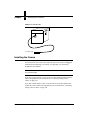
“Installing the Camera” on page 2-26
Basic Set-up Procedures
The set-up and installation procedure for your Vision System involves the
following steps:
v3.7.3, Mar 2009
1.
Unpack the framegrabber board and Visionscape® software.
2.
Install the framegrabber board.
3.
Install the Camera Power cable (not required for digital cameras).
Getting Started With Visionscape® Framegrabber Boards
2-1