1
²
Chapter 3: Using SecureDoc Linux
Updating Keyfiles (Standalone Only)
Updating Keyfiles (Standalone Only)
Using the following procedures you can list, import, export and delete keyfiles from the
SecureDoc Linux system if installed Standalone.
WARNING:
If you are running an SES-Managed SecureDoc Linux, you should
not use this method to modify keyfiles.
You may want to do this if you need to:
• Change your password on your keyfile
• Add another encryption key to your keyfile, say to access some removable media
• Add another keyfile for an administrator to be able to log into your computer.
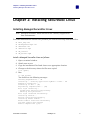
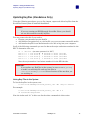
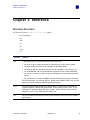
In all of the following commands you need to know the major and minor number for the
HD. To determine this, run:
ls –l /dev/sd* (on some systems it is “hd*”)
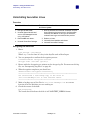
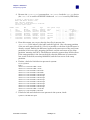
brw-r----- 1 root disk 8, 0 2009-04-17 06:44
brw-r----- 1 root disk 8, 1 2009-04-17 06:44
brw-r----- 1 root disk 8, 2 2009-04-17 06:44
brw-r----- 1 root disk 8, 3 2009-04-17 10:44
/dev/sda
/dev/sda1
/dev/sda2
/dev/sda3
Note the major number 8 and minor number 0 for the HD /dev/sda.
IMPORTANT:
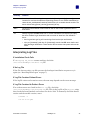
If you update any KeyFiles in the system, be sure to run wm_backup
to make a new backup file and copy the files in
/usr/local/WinMagic/var to a secure location off the machine you
are working on.
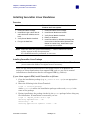
Listing Key Files in the System
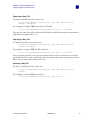
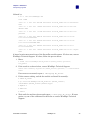
To list the keyfiles in the system, run:
# /usr/local/WinMagic/bin/wm_secdoc_ctrl dbl <major> <minor>
For example:
# /usr/local/WinMagic/bin/wm_secdoc_ctrl dbl 8 0
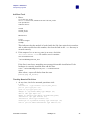
01 Status=84 Length=588
Note the index used “01” in this case for the other commands in this section.
SecureDoc Linux Guide
WinMagic Inc.
16