1
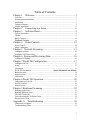
Table of Contents
Chapter 1
Welcome ..................................................................... 3
Overview ......................................................................................................................... 3
System Recommendations .............................................................................................. 3
Installation....................................................................................................................... 3
Technical Support ........................................................................................................... 5
License Agreement ......................................................................................................... 5
Chapter 2
Chapter 3
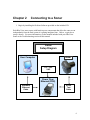
Connecting to a Sonar ................................................. 6
Software Basics ........................................................... 9
Typical Screenshot .......................................................................................................... 9
Toolbar ............................................................................................................................ 9
Range Controls.............................................................................................................. 11
Playback Controls ...................................................................................................... 11
Chapter 4
Sonar Controls........................................................... 12
Sonar Control ................................................................................................................ 12
Image Calibration.......................................................................................................... 13
Chapter 5 Network Streaming ..................................................... 13
Configure Network ....................................................................................................... 14
Configure GPS Timecoding .......................................................................................... 15
Chapter 6 Saving and Reviewing Data ........................................ 16
Configure Recording ..................................................................................................... 16
Chapter 7 Pan & Tilt Configuration .............................................. 17
Configure Pan/Tilt ........................................................................................................ 17
Setup ............................................................................................................................. 17
Orientation .................................................................................................................... 18
Pan & Tilt Orientation ...................................................Error! Bookmark not defined.
Beams Inverted ............................................................................................................. 18
Home Position............................................................................................................... 18
Calibration..................................................................................................................... 19
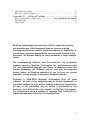
Chapter 8 Pan & Tilt Operation ..................................................... 20
Connecting to a Pan/Tilt ............................................................................................... 20
Pan/Tilt Controls ........................................................................................................... 20
Home Position............................................................................................................... 21
Chapter 9 Rotational Scanning ...................................................... 22
Running Single Scans ................................................................................................... 22
Running Spherical Scans .............................................................................................. 23
3D Point Cloud Files..................................................................................................... 24
Geo-referencing the 3D Point Clouds ........................................................................... 25
Playing back a Scan ...................................................................................................... 27
Appendix A
Troubleshooting .................................................... 28
Connectivity Problems .................................................................................................. 28
Troubleshooting Table .................................................................................................. 32
1