1
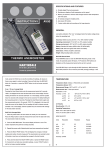
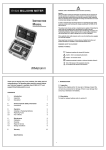
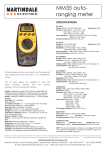
2. INTRODUCTION 3. OPERATION 3.1 Low Battery Indication 2.1 Inspection Examine the shipping carton for any sign of damage. Inspect the unit and any accessories for damage. If there is any damage then consult your distributor immediately. symbol is displayed, the battery needs replacing as If the measurement accuracy can no longer be guaranteed (see section 4.1 Battery Replacement). 3.2 Description of Press Buttons 2.2 Description The Martindale AV85 has the following measurement functions: Selects Set mode settings Selects between alternative measurements Wind velocity from 0.4 to 20 m/s (80 to 4000 ft/m) Relative humidity from 0% to 100% R.H. Air, dew point, wet bulb and wind chill temperature from -20°C to 60°C (-4°F to 140°F) Turns on/off the AV85, turns on backlight Selects Set mode and Max/Min mode functions MODE Further functions and features are: Hold, Max, Min, Max-Min and Average functions Auto power off Low battery indication LCD display with backlight Pocket-sized, compact body 3.3 Description of LCD symbols 2.3 Accessories The AV85 comes with the following accessories: Beau ft/min mph km/h Kts m/s Protective cover for safe storage 2 x 1.5V AAA batteries Detachable carry strap Instructions 2.4 Battery Installation Refer to Section 4.1 (Battery Replacement) for the battery installation instructions for the AV85. 5 instructions rev1.indd 4 °C °F Selected temperature scale WCT Wind chill temperature is displayed HOLD Hold mode is active MAX Maximum reading is displayed MIN Minimum reading is displayed MAX-MIN 3 Unit of wind velocity measurement being displayed The difference between maximum and minimum readings is displayed 4 03/09/2014 AV85 instructions 10:11:09rev1.indd 5 AVG The average reading is displayed WB Indicates wet bulb temperature is being displayed td Indicates dew point temperature is being displayed Indicates press of APO The Set mode is selected by pressing the unit powered off. button required button for 2 seconds with Auto power off is activated Indicates low batteries ENTER 03/09/2014 10:11 Unit of wind velocity measurement; Temperature scale; Humidity, dew point temperature or wet bulb temperature measurement; Auto power off (APO). Indicates press of MODE If the AV85 is switched off while in the Set mode, any changed settings will not be saved, and the unit will revert to the previous settings. button required Unit of Wind Velocity Measurement The LCD will flash the currently set unit of wind velocity measurement after entering the Set mode. 3.4 Power On/Off To power on in Measurement mode, press second. To power on in Set mode, press To power off the unit, press for less than 1 Press for 2 seconds. Press for 2 seconds. to select Beau, m/s, km/h, ft/min, mph or Kts. MODE to advance to the next function. Temperature Scale The LCD will flash the currently set temperature scale. 3.5 Auto Power Off (APO) If the unit is inactive for a period of 10 minutes it will automatically power off. Press Press to select °C or °F. MODE to advance to the next function. To disable this function refer to section 3.7. RH (%), Dew Point (td), Wet Bulb (WB) Measurement The LCD will flash the currently set measurement. 3.6 Backlight Press to select %, td or WB. Press for less than 1 second to turn on the backlight. Press It will automatically turn off after 15 seconds if there is no further operation of the unit. MODE to advance to the next function. APO The LCD will display APO. 3.7 Set Mode This mode sets the following in the order shown: to select ON or OFF as required. Press 5 6 Press MODE to save settings and return to the Measurement mode.