1
Release Notes R&S TSMU, TSMQ, TSML-x, TSMU-H
V12.72
Table of Contents
Important Notes .................................................................................................................................................... 4
General................................................................................................................................................................ 4
TSMx Firmware Update to v12.72 ..................................................................................................................... 4
Instruments with Firmware Version 10.xx.......................................................................................................... 4
Release Notes for R&S ViCom Users................................................................................................................. 4
®
Release Notes for R&S ROMES Users.............................................................................................................. 4
Upgrading the Instrument Firmware.................................................................................................................. 5
Program Requirements........................................................................................................................................ 5
Program Sources / Program Installation.............................................................................................................. 5
Program Start ...................................................................................................................................................... 5
Serial Number Check .......................................................................................................................................... 6
Firmware File Download .................................................................................................................................... 6
Program Exit ....................................................................................................................................................... 6
OptionKeyInstaller Utility.................................................................................................................................... 7
General................................................................................................................................................................ 7
Program Requirements........................................................................................................................................ 7
Program Sources / Program Installation.............................................................................................................. 7
Program Start ...................................................................................................................................................... 7
Auto-Detection of Connected TSMx Devices..................................................................................................... 7
Implicit Firmware Upgrade while Auto-Detection ............................................................................................. 8
TSMx System Information.................................................................................................................................. 8
TSMx Option Information .................................................................................................................................. 9
Missing Device Key Installation ......................................................................................................................... 9
Read Out the Device ID File ............................................................................................................................. 10
Installing TSMx Firmware Options .................................................................................................................. 10
Program Exit / Disconnect ................................................................................................................................ 10
Troubleshooting / Log Messages Window........................................................................................................ 10
Modifications in Current Version and History ................................................................................................ 11
Instrument Firmware related ............................................................................................................................. 11
Host PC Software related (ROMES and TSMx Utilities) ................................................................................. 12
Host PC Software related - ViCom ................................................................................................................... 13
Notes for R&S TSMx Users ............................................................................................................................... 17
TSMx Firmware Options .................................................................................................................................. 17
TSMx OEM Programming Interface ViCom.................................................................................................... 17
Upgrading TSMx Instruments with Firmware Version 10.xx........................................................................... 17
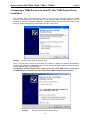
Connecting a TSMx Receiver to Host PC after TSMx Device Driver Installation ........................................... 19
How to Reorder TSMx Firmware Options........................................................................................................ 21
How to Check Installed TSMx 1394 Driver Version........................................................................................ 22
Problems after Firmware Update ...................................................................................................................... 23
3