1
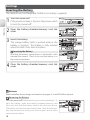
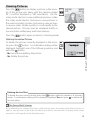
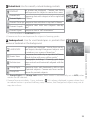
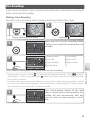
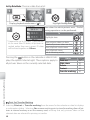
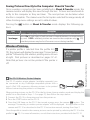
Printing Pictures One at a Time
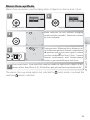
1
2
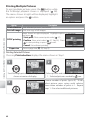
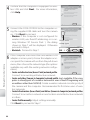
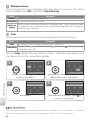
Select picture.*
Display print options.
* To choose picture from thumbnail list, press zoom control to W
( ) and use rotary multi selector to highlight desired picture, or
press zoom control to T ( ) to exit to full-frame playback.
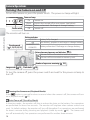
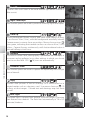
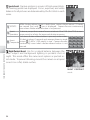
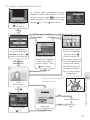
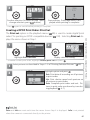
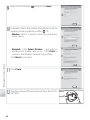
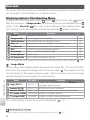
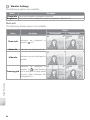
Highlight option and press :
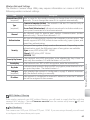
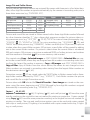
Option
Description
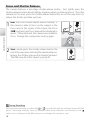
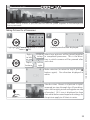
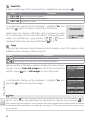
Start printing. To cancel before all copies have been printed, press .
Start
Camera returns to PictBridge playback display when printing is complete;
print
repeat from Step 1 to print additional pictures.
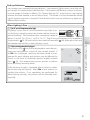
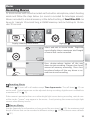
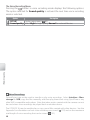
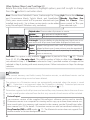
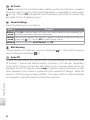
Copies Choose number of copies (up to 9).
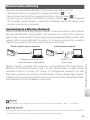
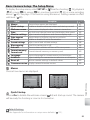
Choose from Default (the default page size for
the current printer), 3.5 x 5 in., 5 x 7 in., Postcard,
Paper
100x150mm, 4 x 6 in., 8 x 10 in., Letter, A4, and
size
A3. Only sizes supported by the current printer
will be displayed.
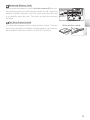
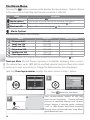
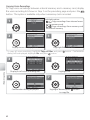
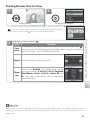
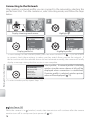
Paper Size
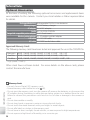
Paper size can not be selected from the camera if the printer does not support the page sizes
used by the camera or the printer automatically selects the page size. Use the printer to select
page size.
59
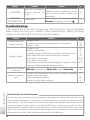
Connecting to Televisions, Computers, and Printers
3