1
Quick Start Guide for Tempo SATA E4P
About Tempo SATA E4P’s Ports and LEDs
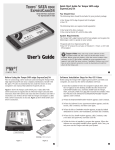
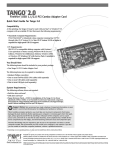
1. Each eSATA connector on the Tempo card is assigned a channel
number that may be helpful if you need to diagnose any issues
(Figure 11). Depending on the drive enclosure you use (with or
without port multiplier), each channel can support from one to five
drives.
Channel 1
Channel 2
Channel 3
Channel 4
Figure 11
2. When drives connected to the Tempo card are powered and active,
the status LEDs on the card will light (Figure 12):
• Green LED ON: Drive(s) present and ready.
• Amber LED ON/Flashing: Drive(s) reading/writing data.
amber LEDs
green LEDs
Figure 12
Additional information for Mac Users
When drive enclosures with port multipliers are connected to Tempo
SATA E4P, you can identify individual drives within those enclosures
in Disk Utility (Figure 13, top). In the Connection ID field, “Channel”
indicates the channel (as well as the connector) on the Tempo card,
while “Port” identifies the drive in the enclosure.
When drive enclosures without port multipliers are connected, a simple
drive-to-card signal path exists. In the Connection ID field in Disk
Utility, “Channel” indicates the channel (as well as the connector) on
the Tempo card and the drive in the enclosure (Figure 13, bottom).
drive in enclosure
with port multiplier
drive in enclosure
without port multiplier
Figure 13
8