1
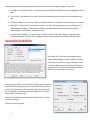
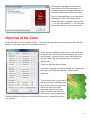
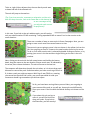
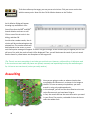
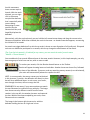
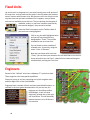
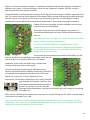
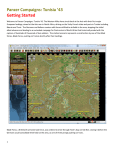
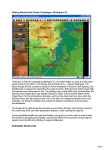
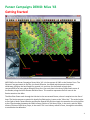
Familiarize yourself with the elements around the map shown in the image on page 1. These are: Unit Box - in the top left corner - provides information about the unit(s) that may be highlighted on the map. Terrain Info - right below the Unit Box - provides information about the ground in the selected map hex. Toolbar and Menu - common parts of any Windows Interface - are used to control the game functions. Status Bar - on bottom left - shows the current time, date, turn progression, ground condition, and night\daylight conditions. This area also displays information about why an action you may be attempting is not allowed by the game or rules. Graphical Time Indicator - on bottom right - shows the time of day with respect to night\day and remaining daylight. This will vary from game to game depending upon the latitude and the month. Scenario Selection Start Mius ‘43, if you have not already done so, and you will be taken to the File Selection Dialog. Click the scenario #00_Getting_Started.scn file in the upper right corner of the Dialog. Review the information in the scenario Description and press OK when you are ready to continue. When you press OK on the File Selection Dialog, you are taken to the A/I Selection Dialog, where you choose the side you wish to control. For the purposes of this tutorial, leave the Russian A/I set as "Manual" for you and select the "Automatic with FOW (Fog-of-War)" for the Axis A/I. You are now the Russian commander, while the A/I is the Axis (or German player). Click OK to start the game. 2