1
STEP 2 > CONNECT
Connecting directly to your SMART-I using a Windows PC or Mac
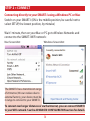
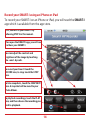
Switch on your SMART-I (ON is the middle position, be careful not to
select SETUP, the lowest position, by mistake)
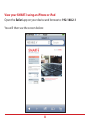
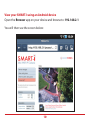
Wait 1 minute, then on your Mac or PC go to Wireless Networks and
connect to the SMART-I WiFi network:
Mac Screenshot:
Windows Screenshot:
The SMART-I has a transmission range
of 20 metres (this can reduce due to
external factors), your device must be
in range to connect to your SMART-I.
To connect over longer distances or via the Internet, you can connect SMART-I
to your WiFi network. See the ADVANCED CONFIGURATION section for details.
3