1
Software "DALI Gateway IC00P01DAL"
Functional description
A
B
C
D
E
F
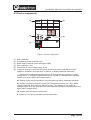
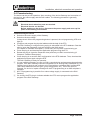
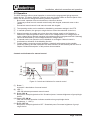
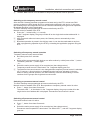
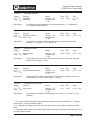
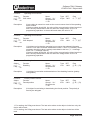
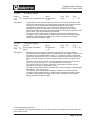
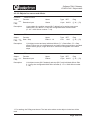
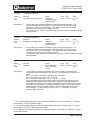
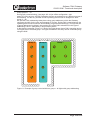
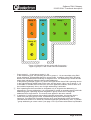
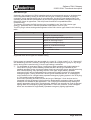
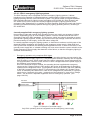
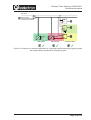
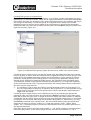
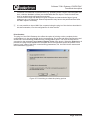
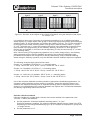
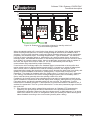
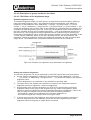
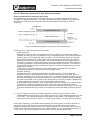
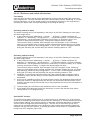
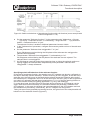
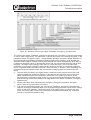
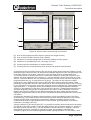
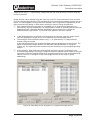
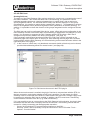
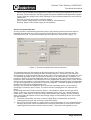
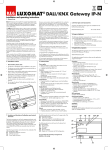
Figure 60: Panes of the commissioning environment
(A)
(B)
(C)
(D)
(E)
(F)
Area of the programmed DALI devices (groups and single devices)
Area of the found DALI devices (DALI system)
Checkbox for multiple assignment of electronic ballasts to DALI groups
Checkbox for compatibility mode (see page 152-153)
Control panel for identification of selected devices
Control panel for central switching of all devices and general reset functions
In the pane for the found DALI devices (B), the plug-in shows all the electronic ballasts it could
identify during a search process. All the electronic ballasts displayed in this area physically exist
in the DALI system. As a result, a maximum of 64 operating devices are displayed here.
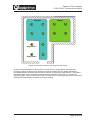
The window shows in different columns a consecutive number for sorting the contents of the
window, the short addresses of the devices (1...64) and the DALI device types read out of the
devices. The short address can only be displayed when a found device has been assigned to a
programmed device (e.g. a single device or a group). The status of the electronic ballast
assignment is only displayed in the pane of the found DALI devices when the button "Hide
previously selected DALI devices" was deselected in the commissioning dialog of the ETS plugin (C). Otherwise (normal case), previously assigned electronic ballasts are not displayed in the
right-hand pane. "-" is displayed as the short address for all unassigned electronic ballasts.
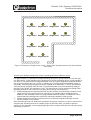
A name is also displayed in the pane of the found DALI devices. If operating devices have not
yet been assigned to any groups or single devices, the name is set by default to "Electronic
ballast" and cannot be changed. Only when assignment has been made does the window
display the programmed name of the devices, provided that already assigned DALI devices are
not hidden.
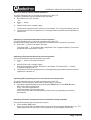
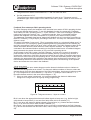
Activating the checkbox (D) allows optional activation of the compatibility mode of the DALI
commissioning. This means that the commissioning process becomes distinctly more tolerant
towards specific DALI commissioning parameters, whereby operating devices not fully
compliant with the DALI specification can be commissioned, possibly subject to functional
restrictions (see page 152-153).
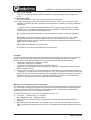
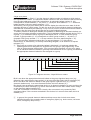
Using the buttons in the control panel (E), it is possible to identify devices selected in the panes
(A) and (B) in the DALI system. These operating devices can be made to switch-on, switch-off
and flash (cyclical ON and OFF). It is also possible to rename devices. In addition, a special
identification function is available for emergency lights. Single-battery-operated DALI
emergency lights are not usually designed for simple lighting operation. For this reason, such
Page 143 of 218