1
How It Works
Using the Correct App
Amber Alert GPS has created two Smartphone Applications for tracking: one called Tracker and
the other called Track My Device. These two Applications are intended to be used together.
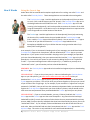
The Track My Device App: Load this Application on the Smartphone(s) that you want
to track. (Hint: Load this App on your kids’ phones). The Track My Device App runs in
the background and must be ON all the time. If the Track My Device App is not ON
(running in the background), it will not be possible to monitor the location of the child
using this Smartphone. As the device runs in the background and is not required to be
in the foreground to track the location of the device.
The Tracker App: Load this Application on the Smartphone(s) that is(are) monitoring
the location of the mobile devices that are loaded with the Track My Device App.
(Hint: Load the Tracker App on Mom & Dad’s phone). You can use the Tracker App to
monitor all of your kids that have the Track My Device App loaded on their
Smartphones AND/OR any of your children that are carrying an Amber Alert V3 (or
above) GPS Tracking Device.
As an example, if you are interested in keeping track of your teenager, you would download the
Track My Device App on their Smartphone, and then download the Tracker App on your own
Smartphone. If your spouse is also interested in keeping track of your teenager (and provided
you have a Portal Membership), then your spouse would also load the Tracker App on his/her
Smartphone. You can link your spouse to your account by adding him/her as an “Authorized
Tracker”. If you want to designate more than one person (i.e., in addition to yourself) as an
“Authorized Tracker”, you will need to purchase a Portal Membership.
REMEMBER - the Track My Device App needs to be installed and registered prior to downloading
the Tracker App.
VERY IMPORTANT – If you are the primary user (i.e. Mom or Dad loading the Track My Device
Apps on your kids phones), you must use the same username and password when you
download the Track My Device App on each of your kids’ phones, and when you download the
Tracker App onto your phone. This will link all of your accounts together so that you can view all
of your children from a single login. So, for example, if your username is “cc@cox.net” and your
password is “Kiki7900”, then you will use that username and password when you download and
register the Track My Device App on each your three children’s phones, and you would use the
same username and password when you downloaded the Tracker App onto your own phone.
VERY IMPORTANT – If you are a Portal Member, you may, if desired, load both the Track My
Device App and the Tracker App onto the same Smartphone. Any phone that has both Apps
loaded will be able (i) to track the location of other devices that are associated with the primary
account, AND (ii) to be tracked by individuals that have been identified by the primary user as an
“Authorized Tracker”. So, for example, if Mom and Dad want to be able to find their kids and
each other, Mom and Dad will load onto their Smartphones both the Tracker App and the Track
My Device App. This service is only available for users with Portal Membership.
3|Amber Alert GPS Tracker App User Manual