1
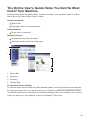
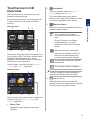
You Can Use the Following Features
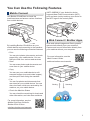
Mobile Connect
Use Brother iPrint&Scan to check the
machine status and access various functions
from mobile devices.
(MFC-J880DW) If your Android™ device
supports Near Field Communication (NFC),
print and scan just by touching your device to
the NFC logo on the control panel.
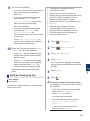
Web Connect / Brother Apps
By installing Brother iPrint&Scan on your
mobile device and connecting to the machine,
you can use the following convenient features:
Scan and upload images and files to popular
web services directly from your machine.
Capture and convert information directly from
your machine without your computer.
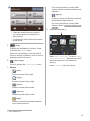
• Print
You can print photos, documents, and web
pages from your mobile device. You can
also print files from various web services.
• Scan
For more information, see the
Web Connect Guide:
solutions.brother.com/manuals
You can scan photos and documents and
save them to your mobile device.
• Copy
You can use your mobile device to edit
scanned images (crop and rotate images),
and then print them using the machine.
• Fax
You can fax photos and documents that
are stored on your mobile device. You can
also view faxes, which are received by the
machine, on your mobile device.
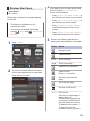
Printing
Scanning
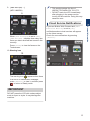
• Check the Machine Status
You can check the remaining ink levels and
other information, and view error solutions.
For more information, see the
Mobile Print/Scan Guide for
Brother iPrint & Scan:
solutions.brother.com/manuals
i