1
Magma
Power on Expansion Chassis
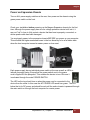
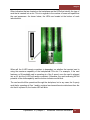
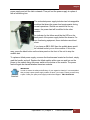
Turn on ALL power supply switches at the rear, then power on the chassis using the
green power switch on the front.
Check your installation before powering up the Magma Expansion chassis for the first
time. Although the power supply has an over voltage protection device built into it, it
may not "trip" in time to fully protect a device that has been improperly connected, or
whose power cable has been damaged.
You must apply power to the expansion chassis BEFORE you power up your computer.
This will allow the higher numbered buses in the bus hierarchy to be at a stable state
when the host computer issues its master power-on bus reset.
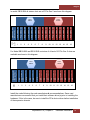
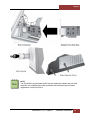
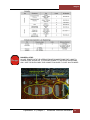
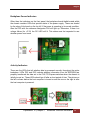
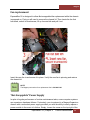
Each power supply has an individual power switch at the rear as well as LEDs to
indicate its power status. Ensure that the power switch next to the power
cord is flipped ON the “|” symbol. This enables the device to turn ON once it
is activated through the main POWER SWITCH.
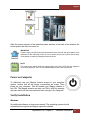
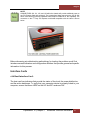
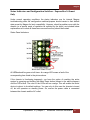
The LED on the top should turn on when the power cord is connected to the
device from the outlet. In this case the AC POWER LED would turn green. The LED
below that is for DC power and should be red until the entire chassis is powered through
the main switch or through the host computer for remote power.
ExpressBox 16 | Chapter 2
Hardware Installation 21