1
English
17
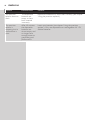
Problem
Possible cause
Solution
The epilator does
not work.
The socket used
to charge the
epilator does not
work.
Make sure the socket you use to charge the epilator is live.
The charging light goes on to indicate that the epilator
is charging. If you connect the epilator to a socket in a
bathroom cabinet, you may need to switch on the light in the
bathroom to make sure the socket is live.
The rechargeable
batteries are
empty.
When the charging light lights up red continuously, the
batteries are empty and you need to charge the epilator for
approx. 1 hour. Note: You have to charge the epilator fully
before first use.
The travel lock is
active.
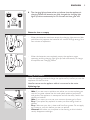
To deactivate the travel lock, press and hold the on/off button
for 3 seconds until the speed lights flash white 2 times. You
can also connect the epilator to the mains with the adapter
to deactivate the travel lock.
The overheat
During use, the
protection has
epilator becomes
been activated.
hot and suddenly
stops operating.
Then the speed
lights and the
charging light flash
red for 30 seconds.
The epilator is equipped with integrated overhead protection,
which prevents the epilator from becoming too hot. If the
overheat protection is activated, the appliance switches off
automatically. Then the speed lights and the charging light
flash red for 30 seconds. To reset the overheat protection, let
the epilator cool down and then switch it on again. To avoid
overheating of the epilator, do not press the epilator too hard
onto your skin.
During use, the
epilator suddenly
stops operating.
Then the speed
lights flash red for
5 seconds.
The overload
protection has
been activated.
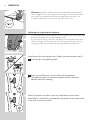
If you press the epilating head too hard onto your skin or
when the rotating discs of the epilating head get blocked (for
instance because a piece of clothing has got stuck between
the epilating discs), the epilator switches off automatically.
Then the speed lights flash red for 5 seconds. Turn the
epilating discs with your thumb until you can remove
whatever is blocking the epilating discs. Then switch on the
epilator again.
My skin is irritated
after shaving or
trimming.
You move the
shaver (with or
without trimming
comb) in the
wrong direction
or you press too
hard.
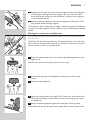
Slight skin irritation like red skin may occur. This is normal.
To avoid irritated skin, make sure the shaving head (with or
without trimming comb) is always in full contact with the skin
and that you gently move the appliance against the direction
of hair growth.
Do not apply too much pressure during shaving and
trimming, as this may cause skin irritation.
Check if the shaving head or the trimming comb is broken.
Always replace damaged or broken parts with original Philips
parts.