1
Language Settings
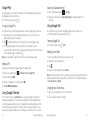
You can change the language of your phone system in two simple steps.
1From the home screen, press
> System settings > Language & input >
Language.
2 Tap a language to select it.
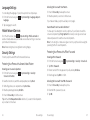
Unlocking the Screen with Your Pattern
1 Press the Power Key to wake up the screen.
2 Draw the pattern you set to unlock the screen.
If you make a mistake, your phone will ask you to try again.
From the home screen, press
> System settings > Mobile networks to
enable or disable data service, allow data services when roaming, or set access
point names for data access.
Note: Data roaming may incur significant roaming charges.
Cannot Recall Your Screen Unlock Pattern?
You have up to five attempts to unlock your phone. If you still cannot recall the
screen unlock pattern, tap Forgot pattern? and enter your Google account user
name and password to reset the screen unlock pattern.
Note: You must sign in or create a Google account on your phone before using the
preceding method to reset the pattern.
Security Settings
Protecting Your Phone with a PIN or Password
Mobile Network Services
Protect your phone and SIM card from unauthorized use.
Protecting Your Phone with a Screen Unlock Pattern
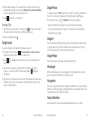
Creating your screen unlock pattern
1From the home screen, press
> System settings > Security >
Screen lock > Pattern.
2 Read the instructions, watch the example pattern, and tap Next.
3 With a finger, draw your own pattern and tap Continue.
4 Draw the pattern again and tap Confirm.
5 Press the Power Key to lock the screen.
Tip: Uncheck the Make pattern visible check box if you want to hide the pattern
as you draw it on the screen.
56
Phone Settings
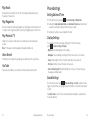
Creating a PIN or Password
1From the home screen, press
> System settings > Security > Screen lock.
2 Tap PIN or Password.
3 Enter a numeric PIN or any password you like, and tap Continue.
4 Enter it again and tap OK to confirm.
Unlocking the Screen with Your PIN or Password
1 Press the Power Key to wake up the phone.
2 Enter the PIN or password you set.
3 Tap OK.
Phone Settings
57