1
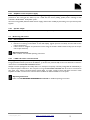
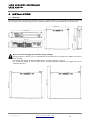
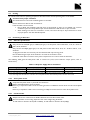
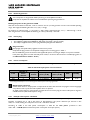
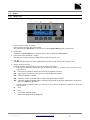
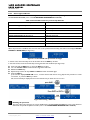
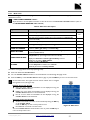
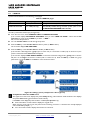
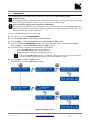
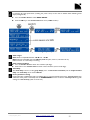
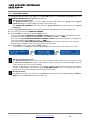
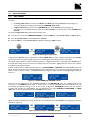
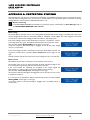
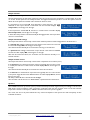
LA4 amplified controller user manual VERSION 6.0 5.4 LOAD PST A preset can be loaded from the following menu pages: Table 6: LOAD PST pages Page LOAD PST USER Memory range 1 – 10 (read and write) LOAD PST FACTORY 11 – 199 (read only) Contents User presets stored by the user (refer to section 5.5). Factory preset library created by L-ACOUSTICS® and automatically installed during firmware update (refer to the LA NETWORK MANAGER video tutorial). To load a preset follow these steps (see Figure 24): From the main menu, select LOAD PST USER or LOAD PST FACTORY. If the controller displays NO PRESETS AVAILABLE! when you select LOAD PST USER it means that all user memories are empty. Press the ESC key to abort. — END — Else, continue the procedure. Turn the encoder wheel to scroll through the presets. Press the OK key or the encoder wheel to select a preset (or ESC to abort). The controller displays ARE YOU SURE?. Press the OK key or the encoder wheel to validate (or ESC to abort). If the controller is not assigned to a group (refer to section 5.8) or is connected to L-NET (refer to section 5.2.3) the preset is activated and the main screen is displayed. If the controller displays CLEAR GROUP PARAM? it means that it has been assigned to a group (refer to section 5.8) but it is no longer connected to L-NET (refer to section 5.2.3). Press the OK key to clear the group parameters or press the ESC key to keep the group parameters active. Figure 24: Loading a preset (example with a factory preset) Complements about the LOAD screen The upper line of the screen displays the preset family allowing coarse selection while the bottom line displays the preset name allowing preset selection within a family. If the name of the displayed preset has been modified (user presets only): Press and hold the encoder wheel to display the original name. When returning to the main screen, the preset names containing more than 11 characters are not fully displayed and are followed by ellipsis (…). Turn the encoder wheel to display the full name for 2 seconds. LA4_UM_EN_6.0 w w w .l-a cous ti cs .c om 28