1
Access to the user interfaces
1.2 Command Line Interface
Copyright (c) 2004-2005 Hirschmann Automation and Control GmbH
All rights reserved
PowerMICE Release L3P-01.0.00-K16
(Build date 2005-10-31 19:32)
System Name:
Mgmt-IP
:
1.Router-IP:
Base-MAC
:
System Time:
PowerMICE
149.218.112.105
0.0.0.0
00:80:63:51:74:00
2005-11-01 16:00:59
User:
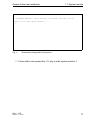
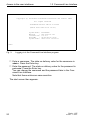
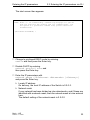
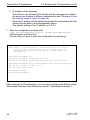
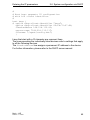
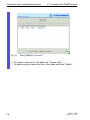
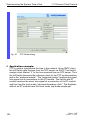
Fig. 3:
Logging in to the Command Line Interface program
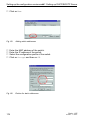
V Enter a username. The state on delivery value for the username is
admin. Press the Enter key.
V Enter the password. The state on delivery value for the password is
private. Press the Enter key.
You can change the username and the password later in the Command Line Interface.
Note that these entries are case-sensitive.
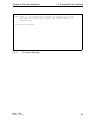
The start screen then appears.
20
Basic - L2E
Release 3.1 06/07