1
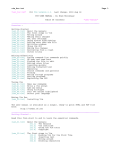
User manual :help Even will explain the meaning of life :help 42 Edit file vi file.txt, Save file :w To quit type :q Editing multiple files (buffers) vi file1 file2 Switch between buffers :next, :prev, :ls Editing vi GoogleScholar.php To move around use the cursor keys or the "home row" k h l j 0 $ move to beginning and end of the line Cf Cb page up and down 12g :12<Enter> go to a line gg G Move to top and bottom of file Cut and Paste VIM adds mode called visual mode In command mode type v to select regions of text Copy y Paste p or yy copy whole line x to delete char under cursor dw dd delete entire word and delete line cw c$ change word and change to end of line D delete to end of line Useful Feature Search for words / or ? search from end of file