1
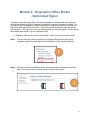
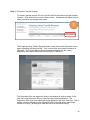
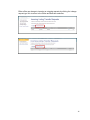
Module 4: Origination Office Broker /Authorized Signer If a listing is under the Listing Agent’s ID and is requested to be transferred, the Origination office Broker/Authorized Signer is notified via email that a request is available for review. The Origination office can approve a listing to be transferred, decline the request or reassign the listing to another agent within their office. Each listing can be acted upon within the request independently. The Origination office can make decisions on the Open listings. Closed listings have already been acted on by the Origination office. Origination office actions must be taken within 7 days of the listing transfer request. Step 1: To review ezListingTransfer requests, the Origination Broker/Authorized Signer navigates to My Account/Manage My Office/Pending Listing Transfer Requests. 1 Step 2: The user can select the Red door when reviewing requests for listings to leave their office. The Green door is to review listings to come into the office. 2 9