1
III. Battery Information
Charging the Battery
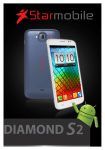
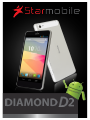
The Starmobile DIAMOND D2 has a FIXED NONREMOVABLE BACK COVER and a FIXED NONREMOVABLE BATTERY. For assistance, please proceed to
an authorized Starmobile service center.
1. Make sure the unit is turned off.
2. Plug one end of the charger into the USB/charging port
then plug the other end into a standard AC power outlet.
3. Once connected, the battery icon will repeatedly flash
at the top right corner of the screen.
4. If the device is charging while powered off, a battery
indicator will also appear on the screen.
5. If the device has been depleted of battery life, it will
take a while before a charging indicator appears on
screen after it has been plugged to a power source.
6. When charging is complete, disconnect the charger
from both the electrical outlet and the device.
7. When the battery level icon has stopped flashing, this
means that the battery is fully charged. It is normal for the
device and charger to become warm during charging.
ATTENTION
*Charging must be performed in well-ventilated areas
with temperatures ranging between -10 degrees Celsius
and +45 degrees Celsius.
10