1
Table of Contents
Chapter 1 General information and warnings ......................................................................................... 3
About this manual .............................................................................................................. 3
Text conventions ......................................................................................................... 3
Special messages ....................................................................................................... 3
Customer Service Information ........................................................................................... 3
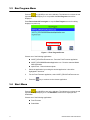
Run Program Menu ............................................................................................................ 4
Start Menu ......................................................................................................................... 4
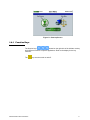
Function Keys .............................................................................................................. 5
Chapter 2 Scale Mode ............................................................................................................................... 6
Weight Display ................................................................................................................... 6
Touch Keys ................................................................................................................. 6
Status Bar .................................................................................................................... 7
Hold Function .............................................................................................................. 7
Chapter 3 Feed Foreman Program ........................................................................................................... 8
Modes of Operation ........................................................................................................... 8
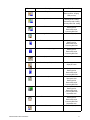
Screen Buttons .................................................................................................................. 8
Access the Feed Foreman Program ................................................................................ 10
Home Screen ............................................................................................................ 11
Mix Menu ......................................................................................................................... 13
Batch Premix Load .................................................................................................... 14
Batch by Pen List ...................................................................................................... 17
Batch Load by Recipe ............................................................................................... 21
Auto-sizing Batch Load ............................................................................................. 24
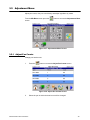
Adjustment Menu ............................................................................................................. 29
Adjust Pen Counts ..................................................................................................... 29
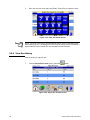
View Pen History ....................................................................................................... 30
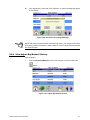
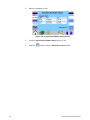
Adjust Ingredient Dry Matter ...................................................................................... 31
View Adjust Dry Matter% History .............................................................................. 33
Chapter 4 Import and Export Data ......................................................................................................... 35
Delete Files from New USB Flash Drive .......................................................................... 35
Importing Feed Data from Feed Foreman PC ................................................................. 36
Exporting 3060 Feed Foreman Data to Feed Foreman PC ............................................. 37
Chapter 5 Update Feed Foreman Software ........................................................................................... 39
Load New Software .......................................................................................................... 39
Loading Errors ................................................................................................................. 41
Chapter 6 Settings ................................................................................................................................... 42
Suggested Settings .......................................................................................................... 42
Filter .......................................................................................................................... 42
Motion/Zero ............................................................................................................... 43
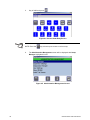
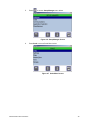
Access the Setup Manager Menu .................................................................................... 43
Scale Menu ...................................................................................................................... 46
Change Parameter Values ........................................................................................ 46
Save Changes ................................................................................................................. 48
Feed Foreman User Instructions
1