1
Quick Operation Guide of Network Video Recorder
Menu Operation
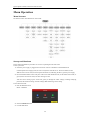
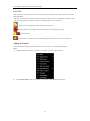
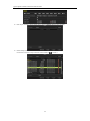
Menu Structure
The menu structure of the WH-N52xx Series NVR:
Startup and Shutdown
Proper startup and shutdown procedures are crucial to expanding the life of the NVR.
To start your NVR:
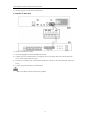
1. Check the power supply is plugged into an electrical outlet. It is HIGHLY recommended that an
Uninterruptible Power Supply (UPS) be used in conjunction with the device. The Power button (for the
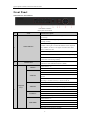
WH-N5316-P16 series NVR) on the front panel should be red, indicating the device gets the power supply.
2. Press the POWER button on the front panel. The Power LED should turn blue (for the 4/8CH series NVR) or
green (for the 16CH series NVR). The unit will begin to start.
After the device starting up, the wizard will guide you through the initial settings, including modifying
password, date and time settings, network settings, HDD initializing, and recording.
To shut down the NVR:
1. Enter the Shutdown menu.
Menu > Shutdown
2. Select the Shutdown button.
3. Click the Yes button.
20