1
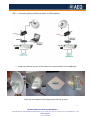
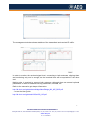
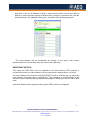
Make sure that the Alvarion equipment has port 1024 open. This is not required for the
Ubiquity units.
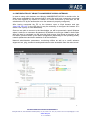
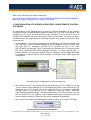
After all this is done, select the audio coding mode. We recommend that the buffer
mode is set as FIX, with a minimum size of around 40ms.
Advanced configuration of RTP mode: buffer size and type
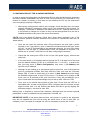
Next we need to select the desired coding algorithm:
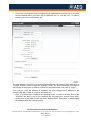
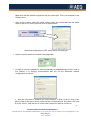
In order to ensure a reliable link that automatically re-establishes after electric cuts or
link failures, it is strongly recommended that you set the advanced channel
configuration as follows:
Now we only need to establish the communication. In order to do so, click on the
CALL button at the main remote control screen corresponding to this codec. We must
fill in the “Call to:” field with the IP of the other Phoenix we want to connect to.
10
APLICACIONES ELECTRONICAS QUASAR S.A.
C/ Margarita Salas 24, 28919 LEGANÉS. MADRID (SPAIN) Tel.:(34) 91 686 13 00 * FAX: (34) 91 686 44 92 .E-mail: aeqsales@aeq.es . Web:
www.aeq.eu
N.I.F. :A-28620649