1
INTRODUCTION
Thank you for choosing Elvid.
The Elvid SRM-7X2-LT StudioVision is a rack-mounted dual-monitor system with advanced
features to help you optimize your images. The StudioVision is equipped with 3G-SDI, HDMI,
component video, and composite video inputs—all with loop-through—for flexible connectivity.
The dual 7″ LED panels’ native resolution is 1280 × 800, and you can set the aspect ratio to full
screen (16:10), 16:9, 4:3, 1.85:1, and 2.35:1.
The StudioVision incorporates broadcast-specific features like underscan, safety-frame markers,
H/V delay, and a tally connector. It’s also equipped with a false color display to provide visual
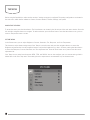
guidance for achieving precise exposure levels. The StudioVision is easy to customize. Choose
from a palette of 12 functions from which you can set the function button to provide a shortcut
for enabling modes and onscreen tools. An Ethernet connection, intended for advanced users,
provides optional software control.
PRECAUTIONS
2
•
Please read and follow these instructions and keep this manual in a safe place.
•
Keep this product away from water and any flammable gases or liquids.
•
Use only the correct, recommended voltage.
•
Do not attempt to disassemble or repair this product.
•
Do not place or store the StudioVision facedown, since this can damage the screens.
•
Handle this product with care. Avoid any unnecessary impacts to this product.
•
Do not block the vents in this product.
•
Disconnect this product from its power source before storage and during electrical storms.
•
Do not use chemical solutions to clean this product. Clean it with only a soft, dry cloth.
•
Keep this product away from children.
•
Make sure that this product is intact and that there are no missing parts.
•
To avoid damage to this product, be careful not to overtighten or improperly thread any of the
threaded fittings.
•
All photos are for illustrative purposes only.