1
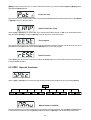
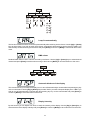
Lamp On automatically
This function enables to switch On the lamp automatically after switching On the fixture. Use the [Up] or [Down]
keys to select "On" if you wish to switch On the lamp automatically after switching On the fixture or "Off" if you
wish the lamp off after switching On the fixture and press [Enter] to confirm or [Mode] to cancel and return to the
menu.
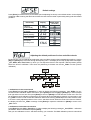
DMX values
Readout DMX values of each channel received by the fixture. Use the [Up] or [Down]-keys to select desired
channel and press [Enter] to read its value coming to the fixture or [Mode] to cancel and return to the menu.
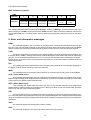
Automatic blackout of the display
This function allows you to keep the display On or to turn Off automatically 2 minutes after last pressing any key
on the control board. Use the [Up] or [Down]-key to select "On" if you wish to keep the display On or "Off" if you
wish to turn Off automatically 2 minutes after last pressing any key on the control board and press [Enter] to
confirm or [Mode] to cancel and return to the menu.
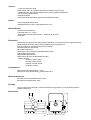
Display intensity
By this function you can adjust from 20% to 100% the intensity of the display. Use the [Up] or [Down]-key to
select the level of the display intensity and press [Enter] to confirm or [Mode] to cancel and return to the menu.
14