1
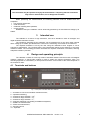
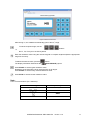
Fields:
Device – text field (up to 10 characters) to enter the device name. It is also the name of the
calibration program and is constantly displayed during the program operation. Required
field.
"U"
– numeric field (the value is limited to 5000) to enter and display the calibrator test voltage;
the field is used to enter values by the user. The field is not required. If the field is blank,
the ”Add U” button is not active.
"R"
– numeric field which specifies the value of resistance provided by the calibrator. Required
field; at least one value.
Possible values of the “R” field:
Resistance range
[Ω]
50…950k
0.05 ... 999.95 M
0.001 ... 999.999 G
0.0001 ... 5.0000 T
Resolution
[Ω]
50k
0.05 M
0,001G
0.0001 T
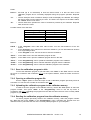
Buttons:
Add U – in the “Program” menu: add extra value menus. You can add maximum of five "U”
menus.
"+”
– in the “Program” menu: add a line to enter the resistance; you can add maximum 59 lines
for a single voltage value.
"-"
– in the ”Program” menu: remove the line to enter the resistance.
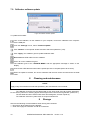
"Save" – in the “File” menu: save the calibration program to disk.
"Open”– in the “File” menu: open the calibration program file from the disk.
"Save" – in the “Programming” menu: upload the calibration program to the calibrator.
"Read" – in the “Programming” menu: read the calibration program from the calibrator.
"Erase”– in the “Programming” menu: erase the calibration program in the calibrator.
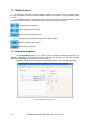
7.6.1 Save the calibration program to disk
To save the calibration program to your hard disk, click “Save” in the “File” menu or use the
top menu in accordance with subsection 7.7.1. In the opened window, select the folder and file for
saving.
7.6.2 Opening a calibration program file
Use the “Open” option to select and open to edit a calibration program previously saved to
hard disk. You can also use a toolbar in accordance with 7.7.1.
7.6.3 Uploading the calibration program to the calibrator memory
In order to save the program in the calibrator memory, use the P1…P10 options to select the
program number. Then press “Save” in the “Programming” menu or use the top menu in
accordance with 7.7.1. Uploading the program from the disk will cause the loss of the currently edited
program on your computer.
7.6.4 Reading the calibration program from the calibrator memory
To read a program previously stored in the calibrator memory, select the program number
P1…P10 and then press “Read” in the “Programming” menu. Uploading the program from the
calibrator memory will cause the loss of the currently edited program on your computer.
OPERATING MANUAL SRP-50k0-5T0
version 1.10
13