1
Right Button starts with the computer booting. A mouse icon is located in the
right corner of screen.
Click the right button mouse; there will be a pop-up box. Select the Button, then a
square box shows up.
Change right / left Button by clicking the icon on screen. Cyan area expresses
what button has been selected.
After selecting the button, users can touch the panel to control mouse activities.
Select / De-select files or Drag icons on screen.
<Quit>
Exit TouchKit touch panel utility.
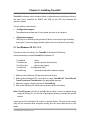
3.2 For Windows CE.NET
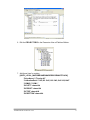
Run TouchKit.exe file. Before users do the calibration or draw test, the module
has to be selected.
TUBX is the USB module
TKTX is the RS232 module
There are four functions, which are [Calibrate 4pt], [Draw Test], [Calibrate 25pt]
and [Quit].
TouchKit Manual for WinCE v2.0.9
20